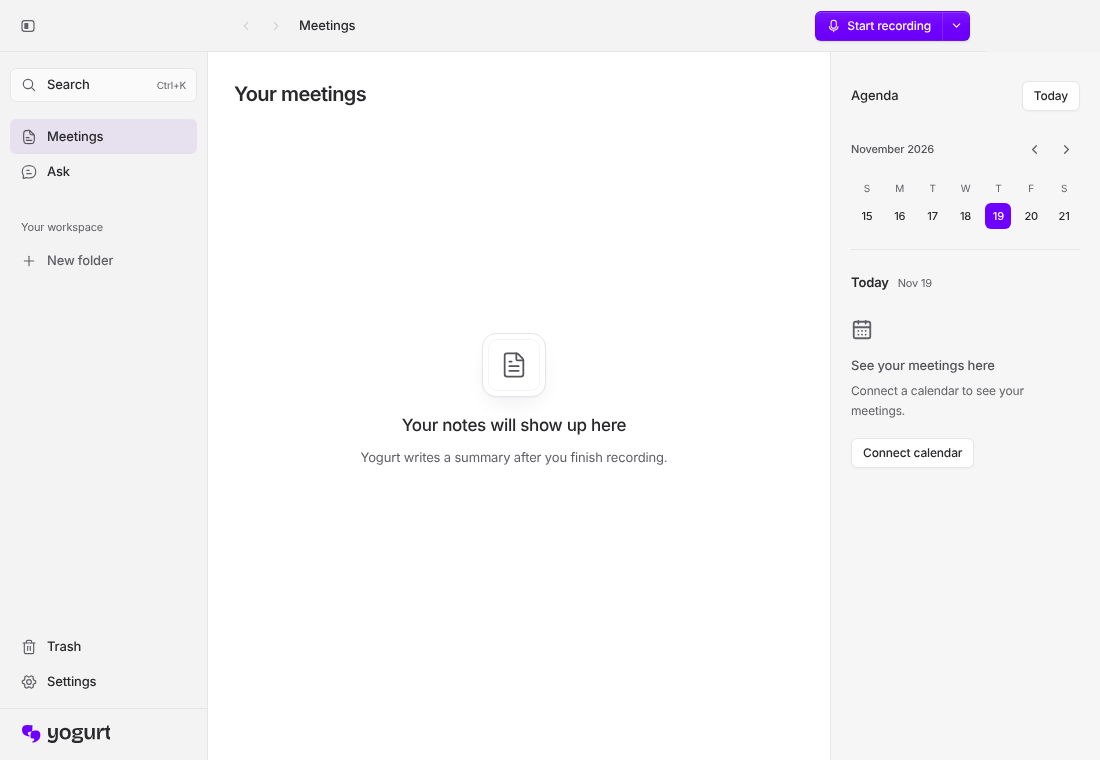
Yogurt is a free desktop app for Mac, Windows and Linux that records your microphone and the sound of a call, without a bot joining the meeting, then writes a transcript and a summary. Both run on your computer, using open AI models that the app downloads once. It is made by the company Frigade and was eight days old when we tested it.
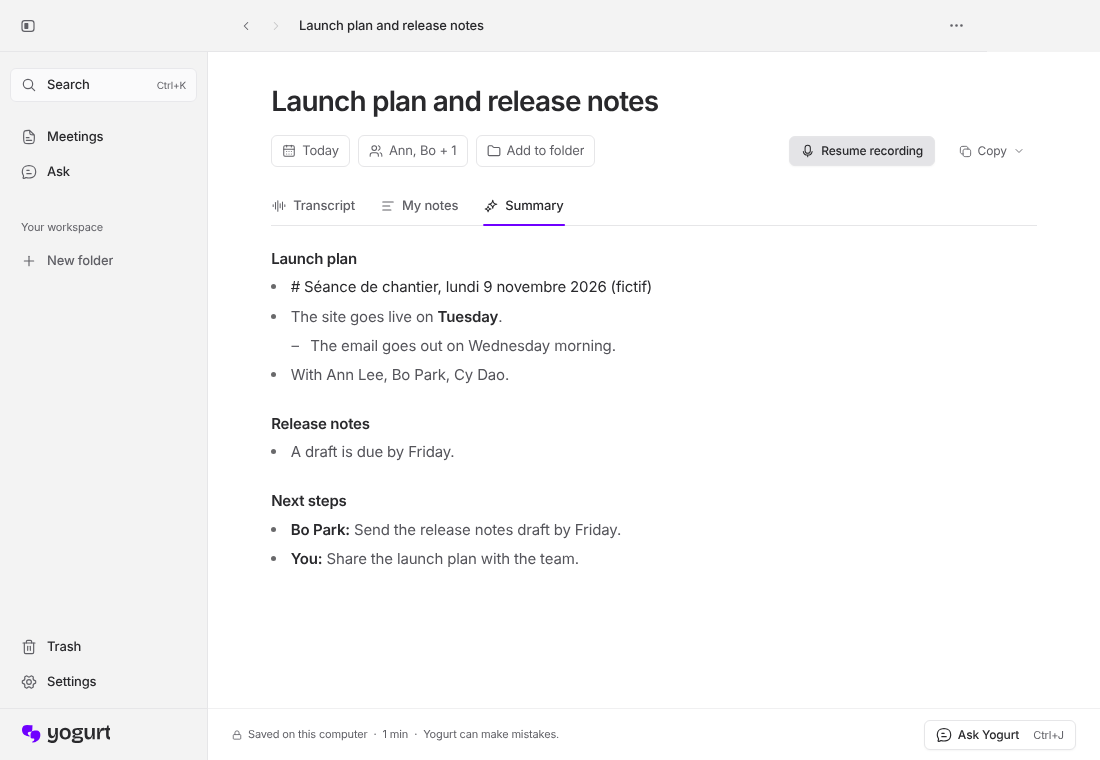
We read its install scripts before running anything, installed version 0.3.48 and ran the project’s own checks. All 2,507 of its tests passed. We then started the app in a virtual screen, in a test mode that simulates recording, and typed in a few lines from the meeting notes of Menuiserie Boisvif SA, the fictional joinery we use for our tests.
The app started, recorded, stopped and showed a note with a transcript, your own notes and a summary. The interface is clean, and a label says the note is saved on this computer. The code, as written, only goes online to download models and check for updates; nothing we saw contradicts that, but we did not watch the network during a real recording.
What we could not test is what matters most. The AI models come from Hugging Face, which our sandbox blocks, and the sandbox has no microphone or sound either. So we saw no real transcript and no real summary: the summary in test mode is canned text from the project, not AI output, and it ignored our notes. We also did not test French, German or Italian.
Yogurt suits people who want private meeting notes and are happy to try a very new app on their own laptop, with 8 GB of memory and room for the models.
Before you record anyone, ask for their consent: Swiss rules on recording conversations apply. Audio is kept by default, which you can turn off. An optional feature lets other apps read your notes, transcripts and attendee details; it is off by default, and an assistant connected to it may send that data to its own online service. Try it on a real call before relying on it.